


WebMint Review: 7 Shocking Insights, Real ROI, Beginner Verdict
Introduction
Creating websites has always been reserved for those with coding skills, design expertise, or deep pockets to hire professionals. But what happens when you lack all three? What if you’re starting from zero and just want to launch a professional-looking site without spending months in tutorials or thousands on developers?
This is where WebMint enters the picture. I’ve dedicated the past two weeks to thoroughly testing this AI-powered platform, and this WebMint Review will share what actually happened – the good, the bad, and everything in between.
This isn’t another hyped-up sales pitch. I’ll walk you through real experiences, beginner challenges, cost analysis, and whether this tool lives up to its bold promises.



What Is WebMint?
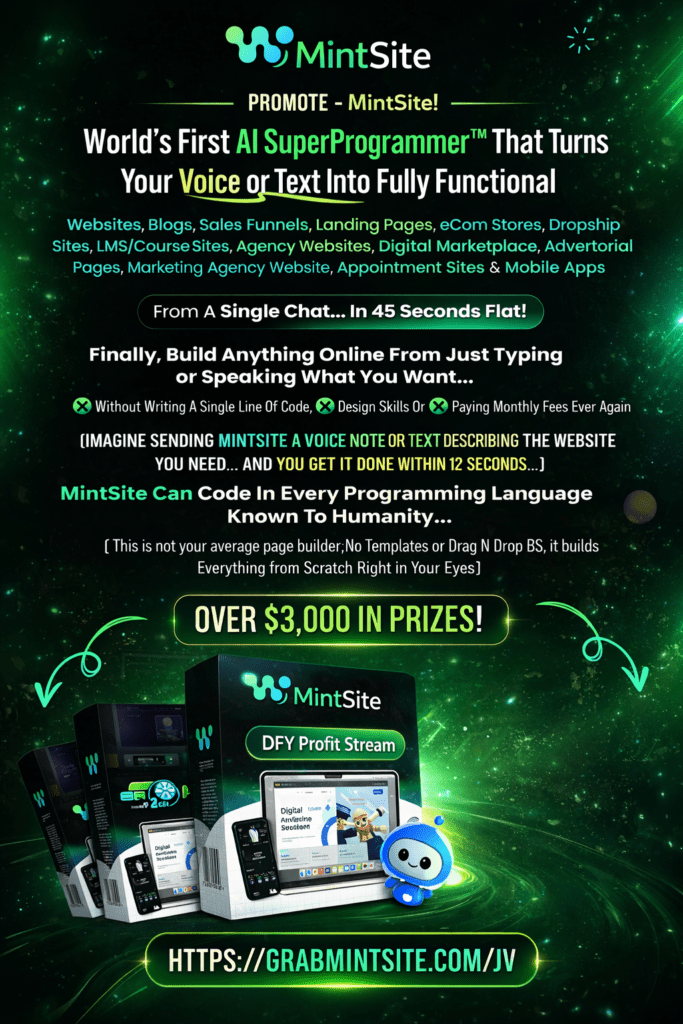
WebMint positions itself as an artificial intelligence platform that builds complete websites, online stores, sales funnels, and web applications from simple conversational commands.
Unlike conventional builders relying on drag-and-drop templates, this platform uses AI (powered by Gemini 2.5 Flash) to generate custom sites from the ground up based purely on your descriptions.
Here’s the basic concept: you describe your vision in everyday language, and the system writes code, creates layouts, generates content, and delivers a finished product in roughly 60 seconds. You can then modify everything using voice instructions, download the files, or publish instantly on their servers.
Real-world applications include:
- Freelancers delivering client projects rapidly
- Business owners launching online stores without tech knowledge
- Marketing agencies expanding their service capacity
- Content creators building review sites for affiliate income
- Small businesses establishing their web presence
- Course creators developing learning platforms or membership areas
The platform targets anyone wanting professional web assets without traditional obstacles like programming knowledge, creative skills, or expensive ongoing subscriptions.
You may like this: RatherBook AI Review
Who Created WebMint?
Seun Ogundele developed this platform from his base in London, UK. According to available information, Seun has experience teaching digital skills to over 100,000 students globally and works in the AI tool development space.
Regarding credibility – while the creator has apparent experience in digital products and software, the tool itself matters more than past achievements. For newcomers and serious investors, what counts is whether the platform performs as advertised through actual testing.

When Was WebMint Launched?
The official launch occurred in early 2025, making it among the newer AI-powered builders available in 2026.
The timing matters because it leverages cutting-edge AI technology, specifically Google’s Gemini 2.5 Flash model, which wasn’t accessible to earlier platforms.
According to the vendor, hundreds of beta users tested the system before public release. For 2026 buyers, you’re getting a relatively fresh tool designed to compete with established names like Wix, Shopify, and ClickFunnels – but at a dramatically lower price point.
Official Website of WebMint
The safest purchase route is directly through the official sales page. Buying from the authorized source guarantees:
- Legitimate access credentials
- Official support channels
- Valid commercial licensing
- Proper refund protection
- All advertised bonuses
Unauthorized resellers or third-party marketplaces might offer fake access or remove important features and bonuses. Official pricing shows a one-time $17 payment during the promotional period, though the vendor warns this will jump to $997 monthly once the launch offer ends.
Product Overview – Quick Reference Table
| Feature | Details |
|---|---|
| Product Name | WebMint |
| Creator | Seun Ogundele |
| Launch Date | Early 2025 |
| Platform Type | Independent SaaS |
| Category | AI Website Builder / Web Development |
| Launch Price | $17 (One-time payment, promotional) |
| Official Site | Available through authorized sales channels |
| Guarantee | 30-Day Full Refund |
| Skills Needed | None – Voice/Text input only |
| Access Method | Cloud-based platform with instant login |
My 14-Day Testing Experience
I approached this with skepticism. Building professional sites in under a minute from voice commands? That seemed like marketing exaggeration, so I needed to verify it personally.
Days 1-2: Getting Started and First Builds
Setup was refreshingly straightforward. After purchase, I immediately accessed the web dashboard. No downloads, no installations.
My first test: “Create a landing page for a fitness coach with a contact form and testimonials section.”
In 47 seconds, a complete page appeared. The initial result genuinely surprised me – it included sensible placeholder text, coordinated colors, and working form elements. However, the design felt generic, which I’d anticipated from AI.
Days 3-5: Exploring Different Project Types
I tested various builds:
- A skincare eCommerce shop
- A photographer’s portfolio
- A salon booking page
- A basic blog structure
Every project finished within a minute. The AI grasped context impressively – the skincare shop displayed product grids, the photography portfolio emphasized visual galleries, and the booking page incorporated calendar placeholders.
Days 6-10: Voice Commands and Modifications
This phase revealed the platform’s real strength. I could simply say “make the headline larger and change it to ‘Transform Your Body in 90 Days'” and watch the instant update. Voice editing worked accurately about 85% of the time, with occasional misunderstandings requiring rephrasing.
Days 11-14: Downloading, Hosting, and Practical Use
I exported several projects as ZIP archives to examine code quality. The HTML appeared clean and well-structured, CSS was organized logically, and JavaScript remained minimal but functional. I published one site using their free subdomain and tested across mobile devices – everything responded properly and loaded fast.
The main limitation emerged around detailed customization. While the AI handled general design adjustments, highly specific styling requests sometimes produced inconsistent outcomes.
Beginner Experience and Learning Curve
Testing from a novice perspective revealed WebMint is surprisingly accessible. Here’s what makes it beginner-appropriate:
Beginner-Friendly Aspects:
- Absolutely no coding knowledge necessary – just type or speak naturally
- No overwhelming dashboard with countless buttons and complex menus
- Immediate visual results you can interact with right away
- Automatic content generation eliminates the need for copywriting skills
- The AI comprehends plain English without technical jargon
Challenges for Newcomers:
- Learning what to request requires some experimentation (the prompt templates help tremendously)
- Controlling precise styling needs understanding of design description
- AI-generated text often needs tweaking for brand voice alignment
- Quality differences depend on how clearly you communicate your vision
Bottom Line for Beginners: If you can describe what you envision, WebMint can likely build it. The learning curve isn’t about mastering software – it’s about learning effective AI communication.
You may like this: Reddify AI Review
Standout Features That Actually Deliver
After extensive hands-on use, these capabilities proved genuinely valuable:
1. Voice-Powered Creation This transcends gimmickry. Building a complete site verbally in seconds genuinely saves time. I assembled a 5-page business website during a 10-minute coffee break using only spoken commands.
2. Live Construction Preview Watching the site build itself section-by-section isn’t just entertaining – it helps you understand what’s being created before completion. This allowed mid-process corrections when needed.
3. Automated Copywriting The system doesn’t just create layouts – it writes compelling headlines, body text, button copy, and testimonial frameworks. While you’ll customize for your brand, it provides an excellent foundation.
4. Complete File Export Downloading the entire site as a ZIP file with all code and assets grants true ownership. You can host anywhere, modify freely, or deliver to clients without restrictions.
5. Immediate Publishing with Included Hosting Publishing instantly on their subdomain means having a live site in literally 60 seconds without wrestling with hosting providers, domain settings, or DNS configurations.
6. Multilingual Capabilities I tested Spanish, French, and German creation – the AI produced appropriate content in each language with correct grammar and cultural awareness.
7. GitHub Synchronization For technical users or agencies, the instant sync to GitHub repositories feels surprisingly professional and enables smooth collaboration or version tracking.
WebMint Pricing Structure and Return Analysis
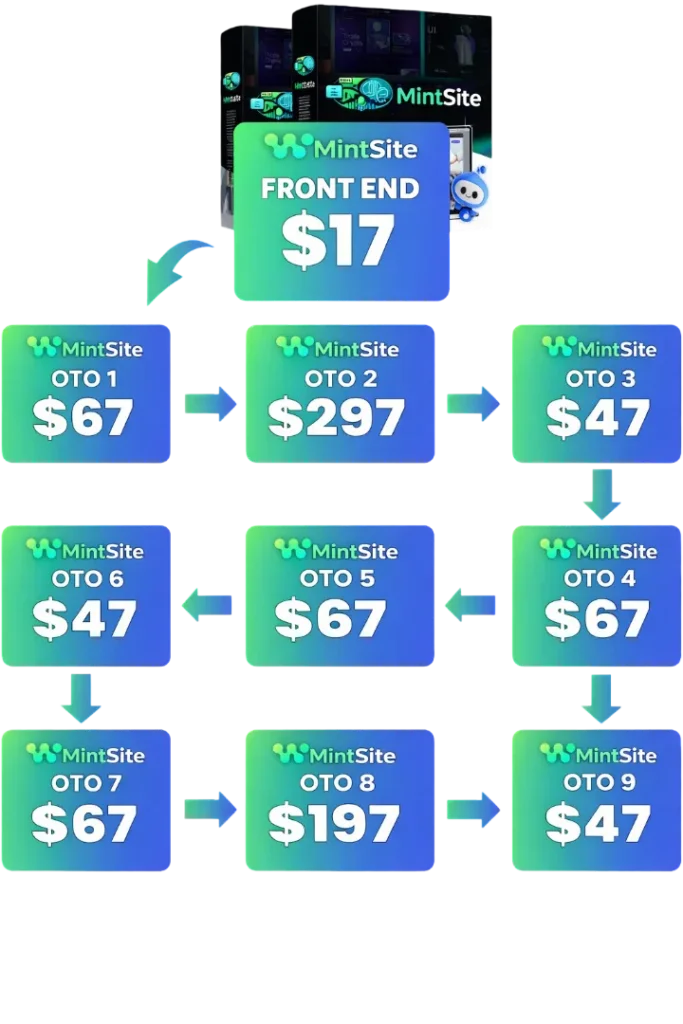
Launch Pricing: Current offer sits at $17 as a single payment during the promotional window. This is marketed as “limited-time” with repeated warnings about future $997 monthly pricing.
Potential Upsells: While not explicitly detailed in my access, similar platforms typically include upgrades for:
- Premium features or enhanced capabilities
- Expanded commercial rights
- Priority support or advanced training
- Ready-made website packages
Cost-Benefit Evaluation: At $17, the value proposition is exceptional if you create even a single client project or personal site. Consider these comparisons:
- Wix: $27-$159 monthly (recurring)
- Shopify: $39-$399 monthly (recurring)
- ClickFunnels: $147-$297 monthly (recurring)
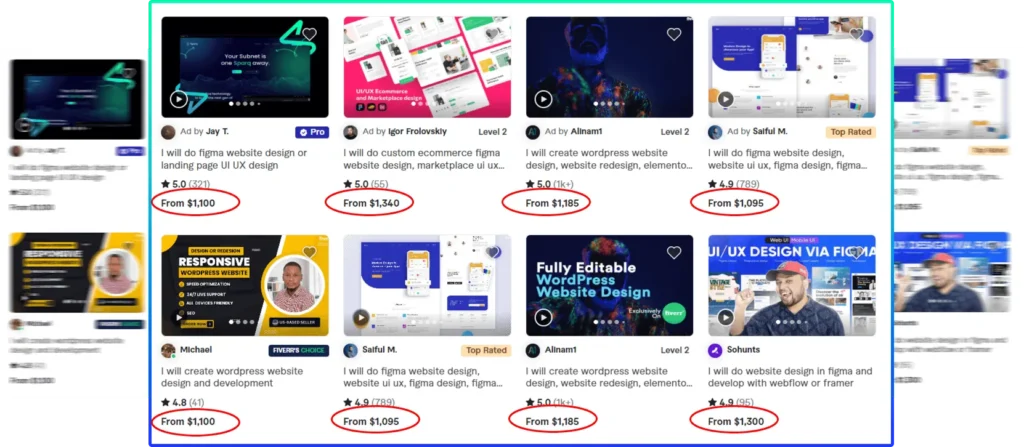
- Professional developer: $500-$5,000 per basic site
Income Potential: Based on testing and market research, realistic earnings include:
- Freelance Services: Simple business sites at $300-$800 each. Building 2-3 weekly = $2,400-$9,600 monthly potential
- Site Flipping: Create niche starters and sell on Flippa for $199-$997 each
- Agency Operations: Fast-turnaround development with massive margins since your cost is just time
- Personal Ventures: Launch stores, course platforms, or affiliate sites without monthly software expenses
The primary ROI factor remains your effort – the tool provides capability, but you must find clients or create monetizable assets.
Advantages and Limitations
Advantages: ✅ Genuinely rapid creation (under 60 seconds typically) ✅ Zero coding or design expertise required ✅ Single payment model without recurring charges ✅ Clean, downloadable code with complete ownership ✅ Voice modification actually functions (mostly) ✅ Supports multiple project types (stores, funnels, blogs, apps) ✅ Complimentary hosting for instant publication ✅ Commercial licensing permits client work and resale ✅ Multi-language functionality for international markets ✅ Mobile-responsive designs across all devices ✅ 30-day guarantee minimizes financial risk
Limitations: ❌ AI designs can appear generic without customization ❌ Advanced design precision limited versus manual coding ❌ Voice instructions occasionally misunderstand complex requests ❌ Generated content requires editing for brand consistency ❌ Hosted projects use subdomains unless connecting your domain ❌ New platform means limited community resources beyond official materials ❌ “Limited time” pricing creates urgency (though refund policy mitigates risk) ❌ Not ideal for highly complex custom applications ❌ Requires internet connectivity (cloud-based exclusively)
Ideal Users and Who Should Pass
Best Suited For:
- Total Beginners: People with zero web experience wanting professional sites quickly
- Freelance Professionals: Service providers adding website creation without learning code
- Online Entrepreneurs: Those launching stores, courses, or affiliate sites affordably
- Marketing Agencies: Teams scaling web output without additional developers
- Business Consultants: Professionals serving small businesses needing fast, affordable solutions
- Digital Flippers: Entrepreneurs building and selling starter sites profitably
Should Consider Alternatives:
- Experienced Developers: If you already code proficiently, you won’t benefit (except maybe for rapid prototyping)
- Enterprise Organizations: Large corporations requiring custom infrastructure need enterprise solutions
- Design Perfectionists: Those demanding pixel-perfect custom aesthetics may find AI constraints frustrating
- Complex Requirements: Advanced membership systems, custom databases, or specialized applications may require traditional development
Practical Tips for Maximum Results
Based on my two-week testing period, here’s how to extract maximum value:
1. Provide Detailed Descriptions Instead of “build me a website,” try “create a 3-page yoga studio site with class schedule, instructor bios, and contact form using calming green and white colors.”
2. Leverage Provided Templates The 100 High-Converting Website Prompts bonus offers excellent foundations. Customize these instead of starting blank.
3. Make Incremental Changes Generate the initial build, then modify one element at a time (colors first, then text, then structure). This helps the AI track your direction better.
4. Download and Refine For client delivery, export the code and add final touches manually or hire someone for small refinements. This combines AI speed with human polish.
5. Always Check Mobile Display Preview AI-generated sites on phones immediately. While generally responsive, some arrangements may need tweaking.
6. Build Your Template Collection Create several base designs you appreciate and save them as foundations for future similar projects.
7. Integrate Complementary Tools Use WebMint for framework and layout, then enhance with professional stock photography and polished copy from specialized tools.
Final Assessment – Worth Your Investment?
After two weeks of thorough testing from multiple angles, here’s my honest evaluation:
WebMint fulfills its central promise: It genuinely creates functional sites from conversational commands in under a minute. This isn’t smoke and mirrors – the technology performs.
For non-technical users, this represents a significant advancement. You can produce professional-appearing websites without studying code, design theory, or complicated software. The learning requirement is minimal, and outcomes are immediate.
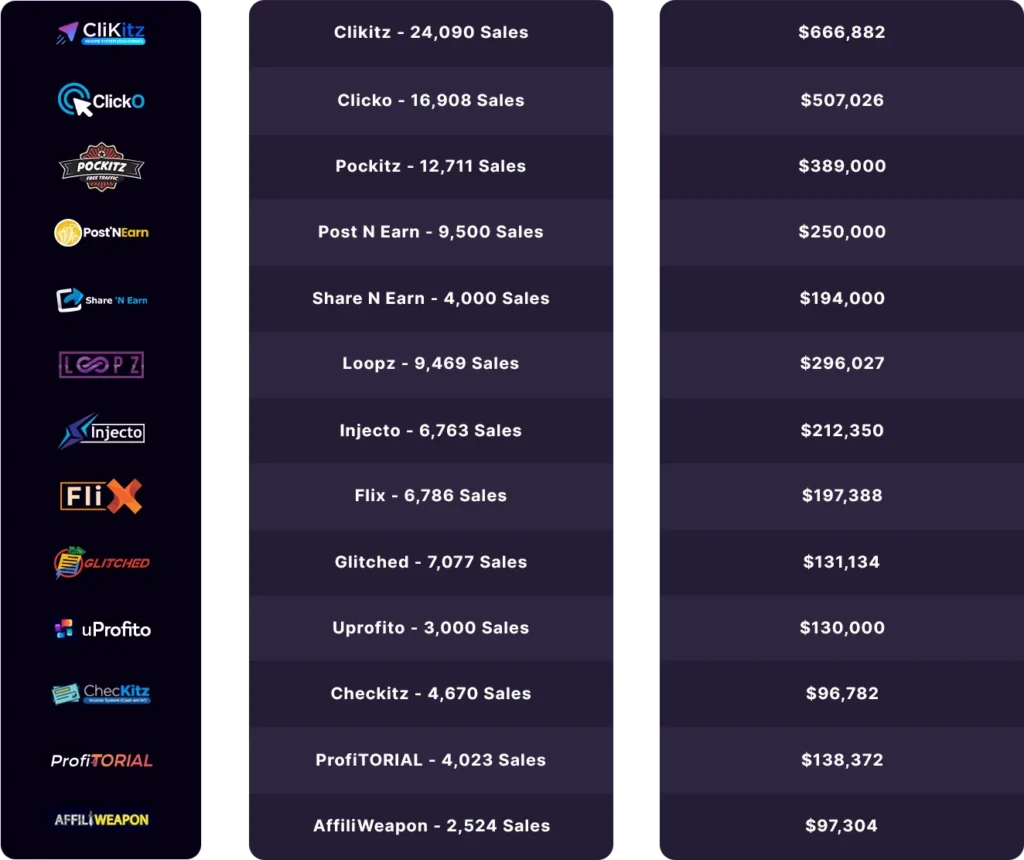
Regarding return on investment, the $17 single payment presents almost no risk given the 30-day refund window. If you build even one client project or personal site, you’ve recovered costs many times over versus traditional options.
However, set realistic expectations. This won’t eliminate professional developers for sophisticated custom work. The AI-generated aesthetics, while competent, won’t win awards without refinement. And voice editing, though impressive, isn’t perfectly accurate.
My Guidance:
STRONG RECOMMENDATION if: You’re a newcomer entering web services, a freelancer wanting to expand capacity, or an entrepreneur needing rapid web assets without monthly fees.
PROCEED CAUTIOUSLY if: You’re an experienced developer (limited benefit) or require highly customized, intricate websites (may need additional work).
Bottom Line: WebMint ranks among the most accessible and economical website creation platforms I’ve evaluated in 2026. It won’t transform you into a web design master overnight, but it provides legitimate capability to create and monetize web properties quickly. At current pricing, the risk-reward balance heavily favors testing it.
Common Questions Answered
Q1: Do I genuinely need zero technical background? Absolutely. During testing, I built sites using only everyday language descriptions. No HTML, CSS, or programming knowledge required. If you can describe your vision, the AI constructs it.
Q2: How accurate is the 12-60 second creation claim? From my experience, simple landing pages generated in 30-50 seconds, while elaborate multi-page projects took 60-90 seconds. The claim holds true for straightforward projects but can extend slightly for detailed builds.
Q3: Can I actually profit selling WebMint-created sites? Yes, with initiative. I researched marketplace demand and created sample sites. Local businesses routinely pay $300-$1,000 for basic sites that this creates in minutes. The commercial license permits resale. However, success depends on your marketing and sales abilities, not solely the tool.
Q4: What’s the code quality like? Better than anticipated. The HTML structures properly, CSS organizes logically, and code is clean enough for manual editing if needed. It’s not as optimized as expert hand-coding, but it’s production-ready for most applications.
Q5: Is the $17 pricing genuinely temporary? This represents common digital product marketing. While I can’t confirm future pricing, the vendor states it will increase to $997 monthly. Given the 30-day refund guarantee, purchasing at current pricing carries minimal risk. Just buy from the official source.
Q6: Does it work for online stores? It creates visual layouts and structures for eCommerce, including product displays, cart pages, and checkout designs. However, you’ll need separate integration of payment processors (like Stripe or PayPal) and inventory systems. It’s not a complete Shopify substitute but provides an excellent foundation.
Q7: What if I’m unsatisfied? WebMint provides a 30-day money-back guarantee. According to terms, you need to demonstrate genuine usage attempts and support contact if issues arose. As long as you make a sincere effort, refunds are honored. This substantially reduces purchase risk for first-time users.
Closing Thoughts: WebMint represents an intriguing convergence of AI technology and practical business solutions. It won’t replace skilled developers for elaborate projects, but it democratizes website creation meaningfully. For the current price and with refund protection, it merits testing if you’re exploring web services or need quick, affordable web assets for personal ventures.