Introduction-RocketToons AI Review
Table of Contents
Making an animated video has traditionally required several separate skills. You need a story, a script, characters, scenes, voiceovers, background music, an editing program, and enough time to combine them. Even a short cartoon becomes a large project once the same character has to look consistent across several scenes.
AI video tools have made this easier, but many produce short clips rather than complete stories. If you want to build a YouTube channel, make educational videos, create children’s stories, or produce promotional animation, you may still need to combine several tools to finish one project.
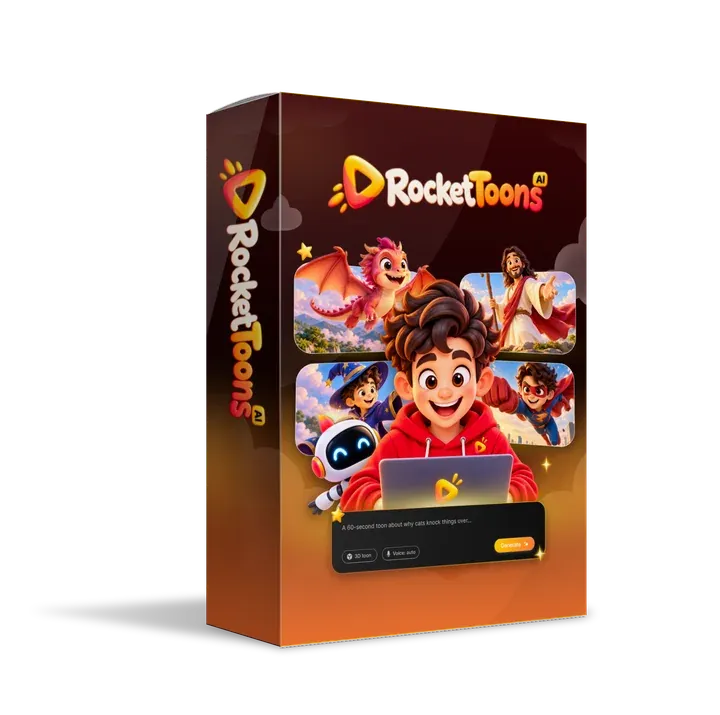
RocketToons AI is designed to close that gap. It presents itself as an all-in-one AI cartoon studio that turns a short written idea into a scripted, storyboarded, voiced, and scored animated video. This RocketToons AI review looks at what the product claims to do, how its workflow operates, what it costs, how its credits work, what the upgrade offers add, and who is most likely to benefit.
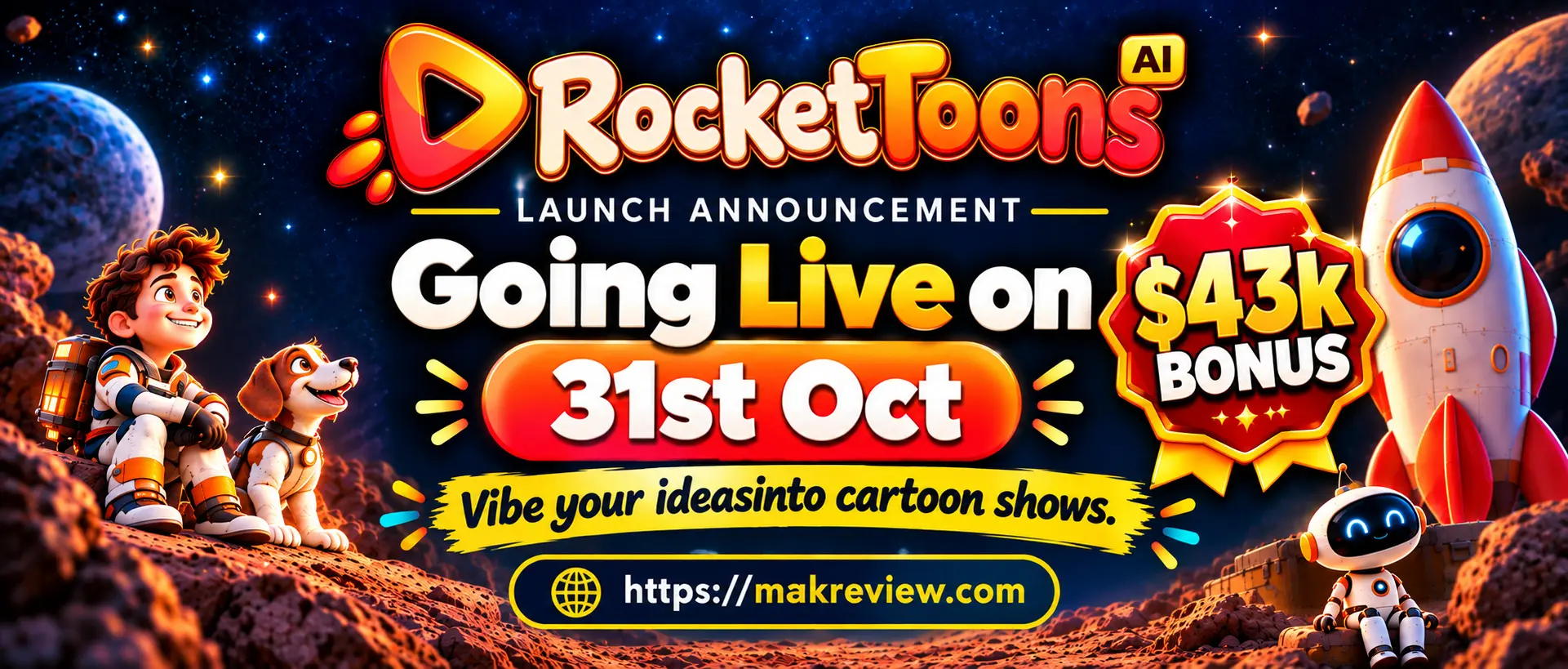
Timing note: RocketToons is scheduled to launch on October 31, 2026. The sales pages are still being finished, so prices, features, and credit rules may change. The details below come from pre-launch vendor materials. We have not tested the software ourselves, so treat every claim as something to verify.
Create AI-powered cartoon videos from your ideas.
🔥 GET ROCKETTOONS AI NOW →
Check the coupon and final price at checkout.
What Is RocketToons AI?
RocketToons AI is marketed as an AI cartoon studio. You describe a story in text, and the software generates a screenplay, scenes, character dialogue, and an animated video. Instead of drawing characters, building each scene, recording voices, and editing the final file in separate applications, you work through one guided process.
The product targets several kinds of content:
- Animated children’s stories and nursery songs
- Bible and faith-based stories
- Educational explainers and lessons
- Short promotional videos for small businesses
- Recurring character series for faceless YouTube or social channels
- Short fictional dramas and anime-style narratives
The core idea is simple. You describe the video, review what the AI produces, correct anything that is wrong, and export the result.
Looking for Another AI Tool Review?
Explore the benefits, limitations, and key details of Chat5.2 AI before deciding whether it suits your needs.
Read Chat5.2 AI Review →Honest Benefits & Drawbacks Explained
RocketToons AI Key Features
The vendor advertises the following features:
| Feature | What It Is Designed to Do |
|---|---|
| AI script writer | Turns a short idea into a titled screenplay with scenes and dialogue |
| Prompt enhancer | Expands a brief idea into a fuller script |
| Storyboard previews | Shows each scene as a still image before animation |
| Character library | Saves characters so they can be reused across episodes |
| Photo-to-cartoon | Converts an uploaded photo of a person, pet, or product into a cartoon in a chosen style |
| Bring your own characters | Lets you upload original characters into your stories |
| AI voices | Assigns voices to narrators and characters, with 40 voices advertised |
| Lip-sync | Matches character mouth movements to dialogue |
| Animation styles | Offers 8 signature styles, with more added in the Pro upgrade |
| Background music | Generates a mood-based score or uses a built-in library of 38 tracks |
| Captions | Offers two word-by-word caption styles |
| Scene editing | Lets you rewrite, reorder, add, or cut scenes |
| Shot direction | Lets you set camera movement, action, sound effects, and clip length |
| Aspect ratios | Exports in 16:9, 9:16, and 1:1 |
| MP4 export | Advertises HD files with no watermark |
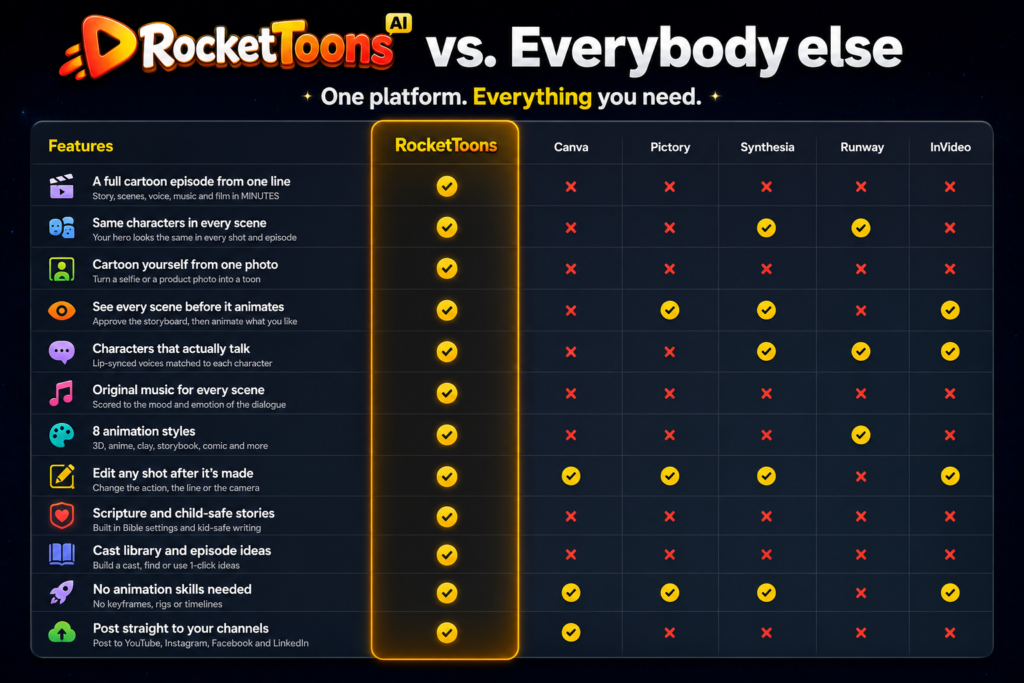
The most distinctive part of RocketToons AI is not any single feature. It is the attempt to combine writing, storyboarding, character management, voices, music, editing, and export in one place.
How RocketToons AI Works
The advertised workflow has five stages, and each gives you a chance to review the work before moving on.
Step 1: Enter an idea. Start with a line of text, such as a bedtime story about a curious rabbit, a lesson on the solar system, or a 30-second ad for a bakery. Clear prompts usually produce better results, so include the audience, tone, characters, and setting where you can. You can also paste a complete script.
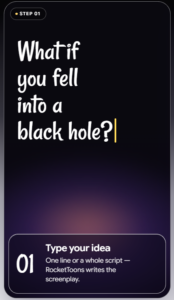
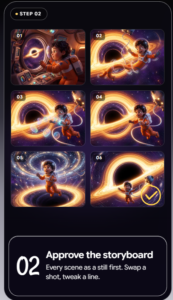
Step 2: Generate the script. The software converts your idea into a structured screenplay. Check the story logic, the dialogue, and any facts. For educational content, verify every claim. For children’s content, check the vocabulary, pacing, and suitability for your target age.
Step 3: Review the storyboard. Each scene appears as a still image before it moves. You can replace images, rewrite scene descriptions, reorder sections, or add scenes. Catching a mistake here is far cheaper than discovering it after a full video has rendered.
Step 4: Add voices, music, and captions. The software assigns voices, generates or selects music, and adds captions. Listen closely to pronunciation, timing, and tone.
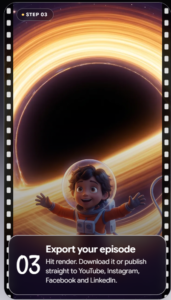
Step 5: Animate and export. Approved scenes are animated and exported as an MP4 in your chosen aspect ratio. The vendor also describes one-click posting to Facebook, Instagram, YouTube, and LinkedIn. Confirm which publishing options your plan includes.
The storyboard-first approach is the feature most worth testing. Many AI video tools generate a complete clip from one prompt, and when the result is wrong, you start over. A review step before animation can save both time and credits.
SAVE $50
Apply coupon TOON50 at checkout. Verify the final price and offer terms before purchasing.
RocketToons AI Credits: How They Work
Credits are the part of RocketToons AI most likely to affect your budget, so it is worth working through the numbers.
According to the vendor’s credit table, video costs 4 credits per second, a picture costs 1 credit, and an AI-composed score costs 10 credits. Story writing, voices, captions, exports, and re-dos are listed as free.
At 4 credits per second:
- A 5-second clip costs 20 credits, so 1,000 credits gives about 50 clips.
- A 15-second clip costs 60 credits, so 1,000 credits gives about 16 clips.
The vendor’s materials describe the Commercial plan’s 1,000 credits as enough for “up to 50 short videos of up to 15 seconds each” in one place, and “up to 50 short videos of up to 5 seconds each” in another. The arithmetic supports the 5-second figure. Confirm this before buying, because the difference is roughly threefold.
Other credit details to check:
- Storage: Credits are stored for 60 days on the Commercial plan. Find out whether unused credits expire.
- Top-ups: The materials describe all credits as one-time, with no monthly top-up on any plan, but they do not explain how to add credits later.
- Bonus credits: The Elite upgrade adds 2,500 credits. The Bundle provides 6,000 credits in total, while Commercial plus Elite provides 3,500.
Longer videos use more credits, so the number of videos you can make depends on the lengths you choose.
RocketToons AI OTOs: What the Upgrades Add
RocketToons AI uses a front-end purchase followed by upgrade offers, often called OTOs (one-time offers). The front-end plan must be purchased before any upgrade can be bought, so the upgrades are not standalone products.
| Product | Advertised Price | Main Additions |
|---|---|---|
| Commercial (front end) | $37 one time | Core studio, commercial license, 1,000 credits |
| Elite upgrade | $47 one time | 2,500 bonus credits, unlimited films (no 50-film cap), 15-minute movies, 180-day cloud storage, content calendar, multi-channel publishing, analytics |
| Pro upgrade | $47 one time | Pro video engine, 14 total styles, 30 Pro voices, 1080p exports, multi-track timeline, 5 team users |
| Studio upgrade | $37 one time | Instant clips from one sentence, photo animation, video extension, 7 camera styles, clips up to 15 seconds |
| AI Agent upgrade | $37 one time | Use RocketToons from supported AI assistants, with cost quotes before each job |
| Reseller upgrade | $97 to $197 one time | Create and manage 25 or 100 client accounts, with a reseller license |
| Bundle | $317 one time | Commercial plan, upgrades, and 6,000 credits |
Elite is the upgrade most relevant to ongoing channel work. It removes the 50-film cap, adds longer movies and scheduling tools, and includes 2,500 extra credits.
Pro targets users who want higher-resolution exports and more production control. Its 1080p export and multi-track timeline are the main draws.
Studio focuses on fast, standalone clips and product or photo animation. It suits social content more than full episodes.
AI Agent lets you run RocketToons from supported AI assistants such as ChatGPT and Claude. It is useful only if you already work in those tools.
Reseller is aimed at agencies that want to manage client accounts. Check the license carefully before using it commercially.
The Bundle is the most economical way to get all the upgrades. Buy it only if you need several of the add-ons. If you only plan to make occasional short videos, the Commercial plan may be enough.
The vendor also mentions limited-time discount codes for the front-end plan and the Bundle. Check the checkout page for current offers, and do not assume any discount will still apply after launch.
Create AI-powered cartoon videos from your ideas.
🔥 GET ROCKETTOONS AI NOW →
Check the coupon and final price at checkout.
RocketToons AI Pricing
RocketToons AI Pricing is simple on paper, but the total cost depends on which products you add.
| Option | Price | Best Fit |
|---|---|---|
| Commercial | $37 one time | Occasional short videos, learning the workflow |
| Commercial + Elite | $84 one time | Ongoing channel work that needs unlimited films and scheduling |
| Bundle | $317 one time | Users who need several upgrades and the largest credit allowance |
Buying Commercial and Elite separately totals $84, which is far below the Bundle. The Bundle’s advantage is the combined upgrade set and 6,000 credits, so compare the features you need before choosing it.
All prices are pre-launch figures from vendor materials. Confirm them at checkout.
Who Could Use RocketToons AI?
YouTube creators exploring cartoon storytelling, educational series, or recurring characters may find the workflow useful for planning and producing episodes.
Faceless channel operators can build a channel around animated characters without appearing on camera. Children’s stories, Bible stories, and animated lessons are common formats in this niche.
Freelancers and small agencies may offer short animated ads, explainers, or social media packages to local businesses, provided the license covers each intended use.
Small business owners who want to test animated promotions without hiring a studio may find it useful for simple, short videos.
Teachers and educational creators can turn lesson content into short visual explanations. Accuracy checks are essential.
Writers and storytellers who want to see their scripts as animated scenes may use the tool to prototype ideas before committing to a larger production.
Exploring Another AI Video Tool?
Discover the features, pricing, legitimacy, and available coupon details of Comic Videos AI in this review.
Read Comic Videos AI Review →Comic Videos AI Review 2026: Is It Legit, Features, Pricing & Coupons?
Who Should Avoid It?
RocketToons AI is probably not the right fit if you need:
- Frame-by-frame control of motion and timing
- Advanced visual effects or specialized studio pipelines
- Broadcast-level quality without human review
- A hands-off process that produces finished content with no editing
If you only need simple slideshows or basic captioned clips, a conventional video editor may be cheaper and easier. Established animators who already have a working toolkit should compare the software against what they use now.
Commercial License: What to Check
The vendor says the commercial license covers selling videos to clients, monetizing your own channels, and running videos in paid ads. For freelancers and businesses, this is one of the most important claims, so read the actual license before relying on it.
Check:
- Which uses are explicitly allowed and which are restricted
- Whether the license covers background music, library assets, and uploaded photos
- Whether you can resell or sublicense finished videos
- Whether any underlying AI service has its own usage policy
- How the license applies to the Reseller upgrade
A license does not clear every element in a video automatically, and it does not guarantee that a client will hire you.
Refunds
Earlier sales materials described a 30-day money-back guarantee. The newer pre-launch pages do not clearly restate that policy, so confirm the refund terms at checkout. If a refund is available, use the first 30 days to complete a real project rather than a quick test clip.
Pros and Cons
Pros
- Combines script writing, storyboarding, voices, music, captions, and export in one workflow
- Storyboard preview lets you correct scenes before animation
- Character library is designed to support consistency across episodes
- Offers multiple animation styles and three aspect ratios
- Advertises a commercial license covering client work and monetized channels
- Low-cost front-end plan provides an accessible starting point
- Elite upgrade removes the 50-film cap and adds scheduling tools
Cons
- Output quality must be judged on your own projects
- AI-generated scripts need editing and fact-checking
- Character consistency may not hold perfectly in every frame
- Credit costs are easy to underestimate, and the vendor’s clip-length claims conflict
- Upgrades must be bought on top of the front-end plan
- The Bundle may be unnecessary for basic use
- The license does not clear every asset automatically
- The product has not launched yet, so features and prices may change
Is RocketToons AI Worth It?
RocketToons AI is worth considering if you regularly need animated stories, educational videos, cartoon-style social content, or promotional animation and want an integrated production process.
Its strongest feature is the combination of storyboard review, character management, voices, scene editing, and export in one tool. Individual features such as script generation or image creation are common across the market, so the integration is the main differentiator.
For most people, the $37 front-end plan is the sensible starting point. Add Elite if you plan to produce ongoing series, and consider the $317 Bundle only if you need several upgrades and the larger credit allowance.
Is RocketToons AI Worth It?
Rather than committing to a larger plan immediately, test the software on one real project:
- Choose a project you actually need, such as a 60-second explainer or a children’s story.
- Write a clear prompt and measure how much the script needs changing.
- Check whether character appearance stays consistent across scenes.
- Revise one scene and note how many credits the change uses.
- Listen to the voices and check pronunciation and lip-sync.
- Export in the format you plan to publish and review it on both a phone and a computer.
- Read the license terms that apply to your intended use.
- Confirm the current price, credit rules, expiration policy, and refund terms at checkout.
SAVE $50
Apply coupon TOON50 at checkout. Verify the final price and offer terms before purchasing.
Frequently Asked Questions
What is RocketToons AI?
RocketToons AI is marketed as an AI cartoon studio that turns text ideas into scripts, storyboards, voiced characters, music, captions, and exported animated videos.
How much does RocketToons AI cost?
The front-end Commercial plan is listed at $37 one time, and the Bundle at $317 one time. Upgrades are priced separately, and the front-end plan is required before any upgrade. Confirm current prices at checkout.
What are RocketToons AI OTOs?
OTOs are the upgrade offers presented after the front-end purchase. They include Elite, Pro, Studio, AI Agent, and Reseller, and each is priced separately or available inside the Bundle.
How many credits does RocketToons AI use per video?
Video costs 4 credits per second, so a 5-second clip uses 20 credits and a 15-second clip uses 60 credits. The Commercial plan’s 1,000 credits cover about 50 five-second clips.
Is RocketToons AI a monthly subscription?
The materials describe one-time payments with no monthly top-up. Check the checkout terms for recurring charges, and confirm whether any third-party services carry separate costs.
Can RocketToons AI create videos from text?
Yes, that is its core function. The quality of the final video depends on your prompt, your review of the script and storyboard, and how much editing you do.
Can I use RocketToons AI for YouTube?
The vendor says the commercial license covers monetized channels. Review the license terms and YouTube’s current monetization and AI-content policies before publishing.
Does RocketToons AI work for faceless channels?
Yes, the format suits faceless channels because the characters are animated. Success depends on content quality, audience fit, and a consistent publishing schedule.
Does RocketToons AI include voiceovers?
The vendor advertises 40 AI voices with automatic casting and lip-sync, plus support for 25 languages. Test the voices on your own content, especially in any language you plan to use.
Can I sell the videos I make?
The vendor says the commercial license permits selling videos to clients. Read the full license to confirm what is covered, especially for music and uploaded photos.
Does RocketToons AI guarantee views or income?
No. An AI tool can help with production, but it cannot guarantee audience growth, monetization, or client work.
Is RocketToons AI suitable for beginners?
It is designed to make animation accessible to people without technical training. Beginners should still expect to review scripts, correct scenes, and learn how credits and exports work.
Final Verdict
RocketToons AI attempts to combine the main stages of cartoon production in one AI-assisted studio. Its storyboard-first workflow, character library, scene-level editing, and integrated voices and music are the features most worth evaluating.
It is not a substitute for review. Generated scripts need checking, character consistency should be tested rather than assumed, and credit costs can add up quickly. The commercial license is valuable, but it does not clear every element automatically or guarantee income.
If you need quick, story-driven animated videos and are willing to review and refine what the AI produces, RocketToons AI deserves a serious look once it launches. Start with the Commercial plan, test it on a real project, and upgrade only if you can clearly use the extra features.
Editorial note: This review is based on pre-launch vendor materials and has not been independently tested. Features, prices, credit rules, and license terms may change after launch. Verify all details on the official site before purchasing.